Posts

Showing posts with the label Custumization Tools

Se7en Theme Source Patcher 0.3 Beta Download for Free

Image
Portable Type EXE Size: 2.97 MB Installer Type: EXE Size: 3.91 MB We wanted a simple way to customize our complete Se7en OS, so we created 7tsp. The patcher will back up the original (current) system files, and patch your Windows 7 with a resource pack. There are official color packs available for download and users have created some cool custom themes. It's possible to create your own custom Theme/Icon pack's and apply them with the 7tsp GUI. Modifications can include icons, bitmaps, cursors, visual style, Start button, side panel, logon screen, sounds, fonts, task manager colors, copy animation colors, etc. The Installer Version is exactly the same as the portable version, only it will be installed in your Program Files folder and optionally creates Menu Start shortcuts. Since this is a version and we're very actively working on it, much still has to be done and updates will be released often. (keep track of the build number) More options and modded resources will be adde...

XP Theme Source Patcher 3.0.0.26 Free Download

Image
Type: EXE Size: 1.61 MB The XP Theme Source Patcher application was designed to improve the Graphical interface of Windows XP. Sme 370+ files have resources that this application replaces and/or modifies, and another 100+ files are simply replaced. Images, animations and icons that have been extracted from Vista are included in the Green XPtsp theme package. Some tools are used, for without these tools, this application could not exist. The most used tool is Resource Hacker, which is used to replace resources in the system files. The modified CABLITE.DLL by Code65536is also included and is responsible for all CAB manipulation. MKISOFS is included in order to create ISO images for the user. The patcher can also install optional components, such as: - Windows Vista wallpaper (top screenshot on right) - Vista screensaver - an Aero-like visual style (bottom screenshot on right) - Vista's Segoe UI and Segoe Media Center Light fonts - Drive Space Indicator to cha...

VirtualTek Add-On Maker for nLite 2.1.15.2009 Direct Download Freeware

Image
Type: EXE Size: 885 KB With Add-On Maker for nLite, you can add programs directly into the Windows installation using the nLite. So once you've finished installing Windows, programs that you added in the nLite are now installed automatically, saving time. The program allows to create self-executable SFX with 7-Zip as well as compression of all the files within the installer program, reducing the final size of the CAB file and allowing the use of options provided by SFX. Create your Add-Ons for nLite and customize the installation of your Windows. The nLite is a program that allows you to modify several things on the Windows CD, and create a new custom CD. You can add new device drivers, have to install Windows with them. You can integrate service packs, do not need to apply the SP after installation. It is great for those who install Windows from time to time, or to anyone applying it on several computers. Download

Ave Iconifier 2.1 Download with Free Skins

Image
Type: Zip Size: 651 KB Aveiconifier is designed as drag-and-drop tool that converts ICO files to PNG files and vice versa. It can create multi-icons fom 16×16, 24×24, 32×32, 48×48, 64×64, 72×72, 96×96, 128×128 PNG files. The application also supports batch conversion by simply dragging multiple ICO/PNG files to the program window. Download

WinntbbuED 0.3.1 Setup Billboard Screens for Windows Direct Download

Type :  EXE Application  Size  :  249 KB Download Note :  avast! Antivirus treats it as a Malware. In its current Version this editor only allows editing of the following in Winntbbu.dll: *Colors *Fonts (Large & Small) *Headlines & Billboards *Step Texts *Pictures (HighColor & CDBoot only):     *Backgroundimage       *Step Images       *Top-Left-Logo *Processinganimation  ----------------------------------------------------------   Preview:   The Preview is currently only available for small  resolution setups. Only changes made to the appropiate  Resources will take visual effect. Of Cource all made  changes get written to the dll. SysSetup:  Though for visual completeness Texts from syssetup.dll,  if present in the same directory as the selected  winntbbu.dll, are displayed, they are, at least at the  moment, not editable. Pictures: ...

Yamicsoft Windows7 Manager 4.4.3 Full Version Free with Registration Code Serial Key

Type : EXE Size : 13.3 MB What is Windows 7 Manager? Windows 7 Manager is a system utility that helps you optimize, tweak, repair and clean up Windows 7. It will increase your system speed, eliminate system fault, improve system security, and meet all of your expectations.Windows 7 Manager is a system utility that helps you optimize, tweak, repair and clean up Windows 7. It will increase your system speed, eliminate system fault, improve system security, and meet all of your expectations. Windows 7 Manager Features Information Optimizer Cleaner Customization Security Network Misc. Utilities Why Should I use Windows 7 Manager? Windows 7 is the Operating System for home users and professionals alike. Windows 7 brings clarity to your world, so you can more safely and easily accomplish everyday tasks and instantly find what you want on your PC. Windows 7 Manager is the powerful software tool to tweak and optimize your Windows 7, it bundles more than 30 different utilities in one and hel...

WindowsXP SP3 UxTheme Patcher

Image
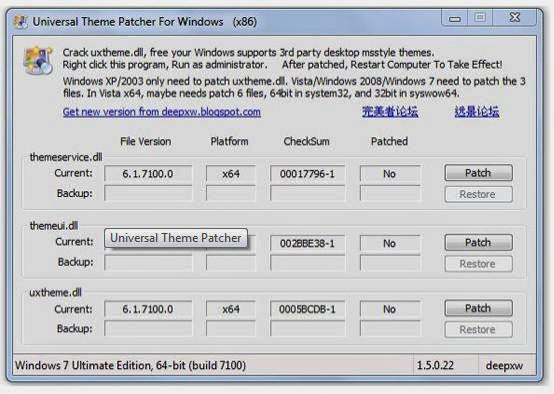
Type :  ZIP Size  :  431 KB Not all XP themes you download from the Internet run on your computer without a glitch. Some of them only work partially, for example only the desktop background and icons, others don't work at all. That is because Microsoft protects their branding by adding digital signatures to all officially agreed themes.  SP3 UxTheme Patcher comes to the rescue of the XP theme fan developer's community by removing this protection. The application unlocks full XP theme customization by automatically replacing the uxtheme.dll located in the Windows/System32 folder. Really, all you have to do is run the basic installer and then restart the machine. It's that simple. No system messages, no complicated file search, no manual file replacement, bottom line, no headaches for the user. Despite all that, we strongly recommended to make a backup of the uxtheme.dll file before installing the application, and eventually a restore point . This is highly advisa...